Portfolio 2022
2022
Website
Javascript
WebGL
Url - https://www.2022.georgi-nikolov.com/
Code - https://github.com/gnikoloff/2022-portfolio
Article in Japanese: https://webgl.souhonzan.org/entry/?v=2145
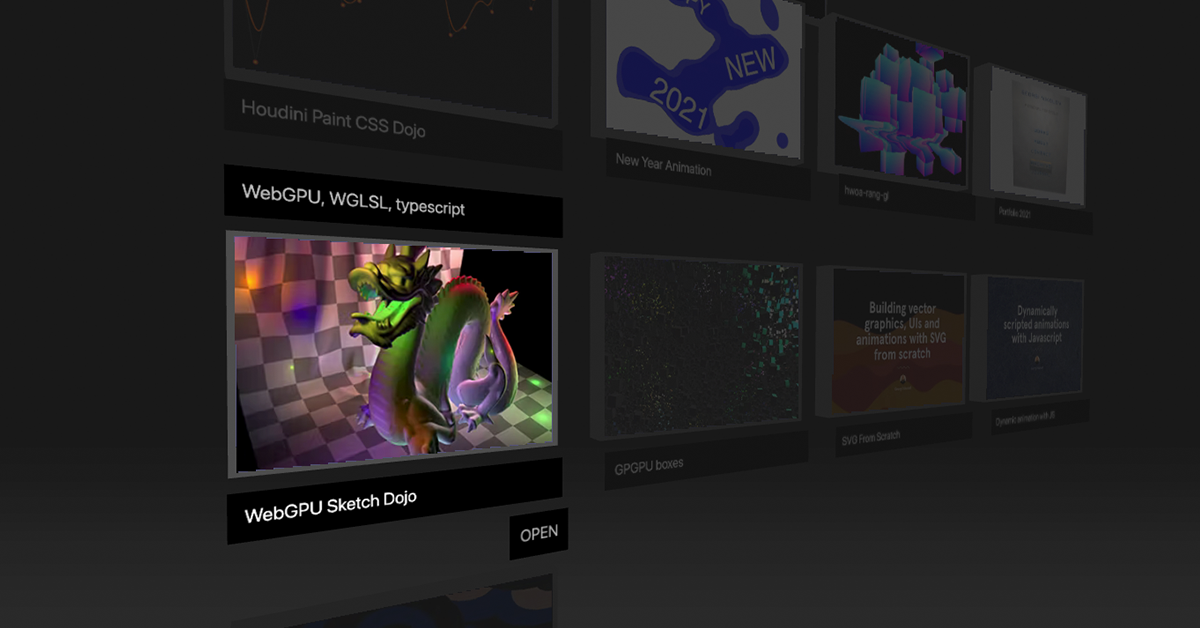
I released my new portfolio for 2022 as a pure webgl2 scene. I wrote all of the graphics, animation, interaction and layouting system from scratch. I did three challenges for my portfolio:
- wrote my own webgl2 framework, hwoa-rang-gl2 for the rendering
- wrote my minimal tweening library
- implemented raycasting against axis aligned bounding boxes, planes and spheres with hwoa-rang-math
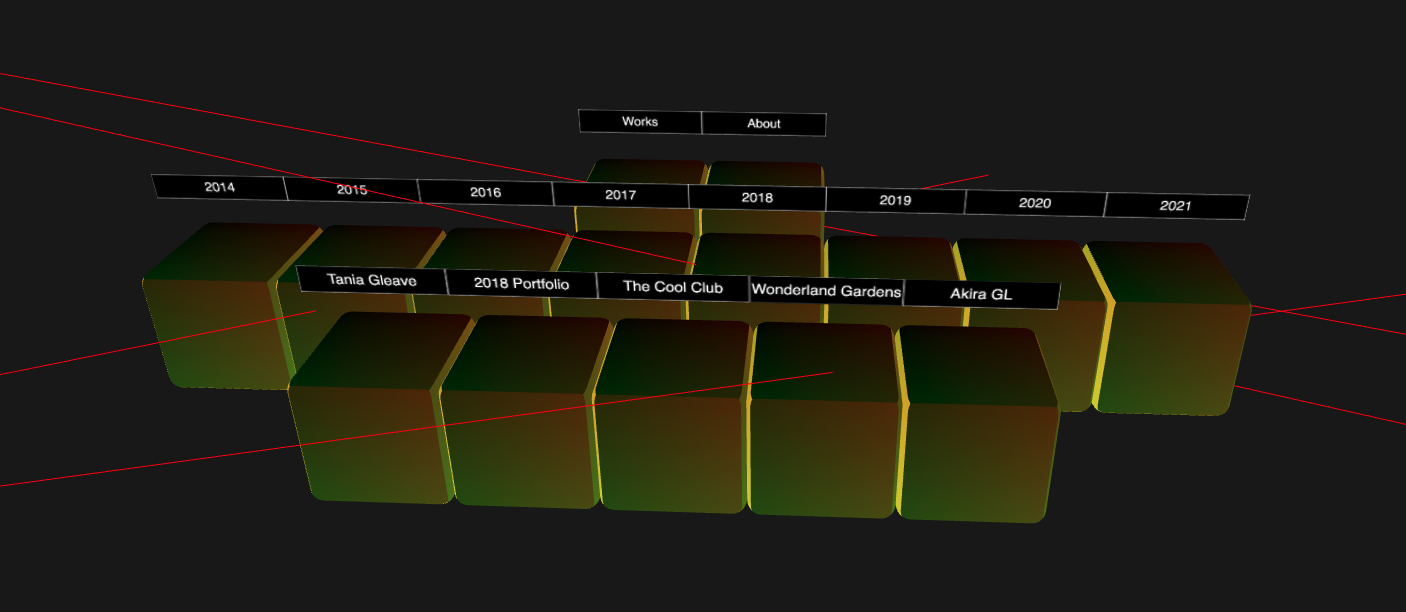
Webgl2
- vertex array objects (VAO) are supported in core webgl2 and are no longer hidden behind an optional extension. I interleaved all of my buffers data as much as possible and put them in VAOs to reduce CPU - GPU communication and per-frame calls into GL
- used uniform buffer objects (UBO) for my shader uniforms that are shared across all meshes, such as time, view camera matrix, projection camera matrix, etc. This way, instead of calling
gl.uniformf(),gl.uniformMatrix4fv()and so on for each mesh individually, they all received the correct data via a few simple UBO commands, dramatically reducing the per-frame calls into GL - Used texture atlases, combining all of my textures. When adding new images, I updated subregions of the mega texture with
gl.texSubImage2D(), calculated correct UV subregion offsets and passed them as extra shader attributes for the meshes to sample with. - WebGL2 supports mipmapping NPOT texture, so used that too
- To draw all the texts, I used hidden canvases with
CanvasRenderingContext2D, since its trivial to render text with thefillText()API. I then fed the hidden canvases to my texture atlas and used them in my shaders.
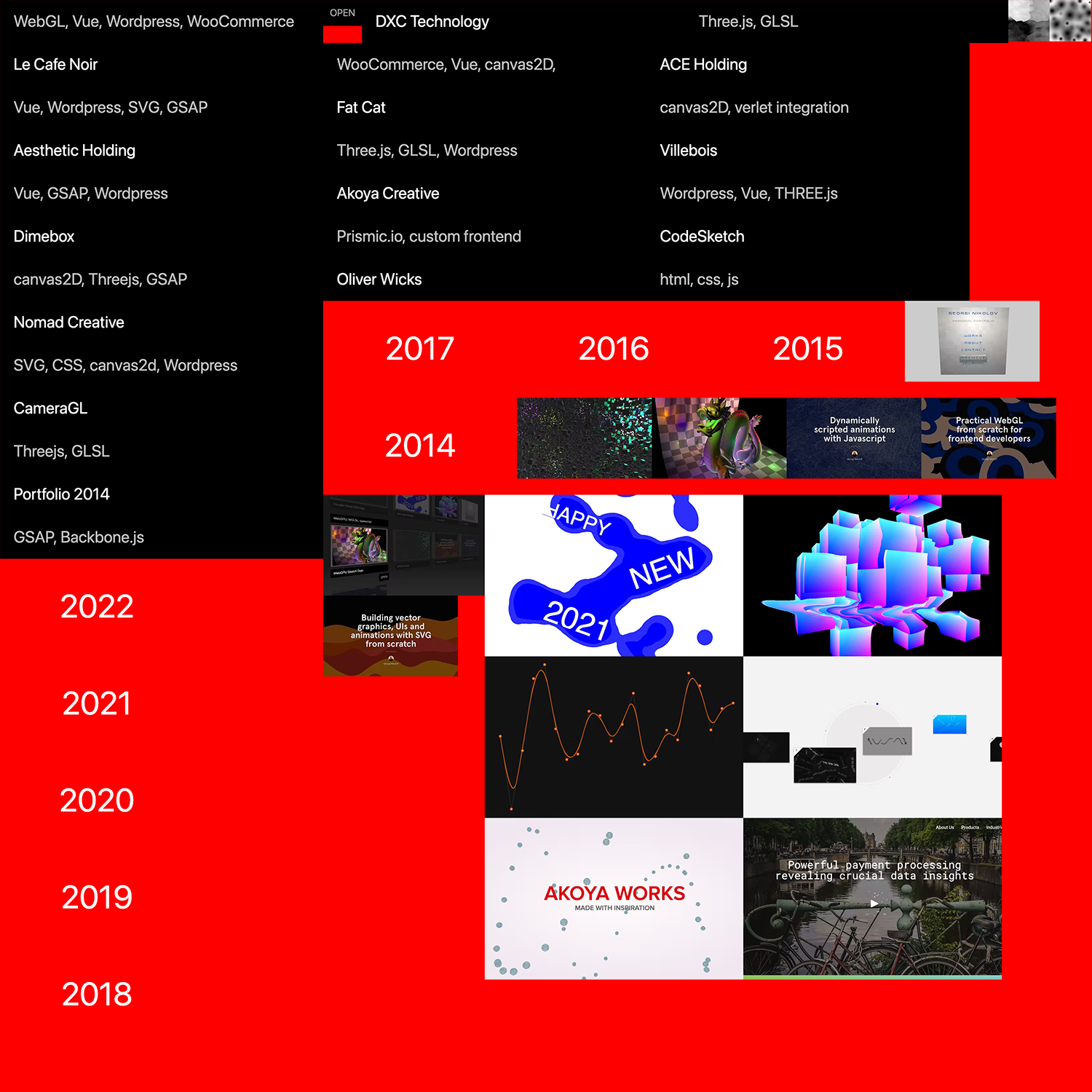
Here is one slice of my texture atlas. As you can see, it allocates new images via a packing algorithm with the cool texture-atlas library and renders them to the correct texture subregion with gl.texSubImage2D(). Notice the extra small black white images at the top right - they are used for the label masking effect animations.
As usual, I used Redux for state management and Typescript for neat code. Also tried out ViteJS as a new bundler and it worked out swimmingly.
Debug mode
You can enter special debug mode by appending ?debugMode=1 to the end of the url